


Paging based on Commands works very similar to the above with the exception of paging to a Personnel Group and instead paging to individual users that are assigned to a Unit.
1. Navigate to System Admin > System > Personnel.
2. Open Personnel Record.
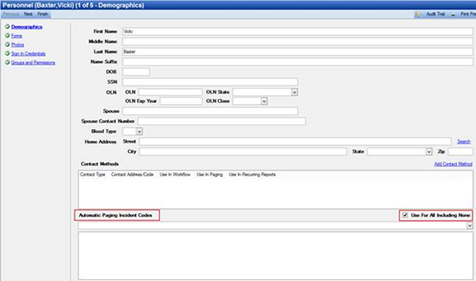
3. Add Contact Methods.
4. Uncheck Use For All Including None box.
5. System Admin > CAD > Units.
6. Assign the Personnel to the Unit.
7. System Admin > CAD > Commands.
8. Open Dispatch Command.
9. Select Add Action.
10. Select Page Units action.
By following all of these steps, every time the Dispatch Command is used, a page will be sent to the Personnel that is added to the units on that CFS.