


There are several necessary steps to be able to automatically send pages based on Incident Code.
1. Navigate to System Admin > System > Personnel.
2. Open a Personnel Record.
3. Add Contact Methods.
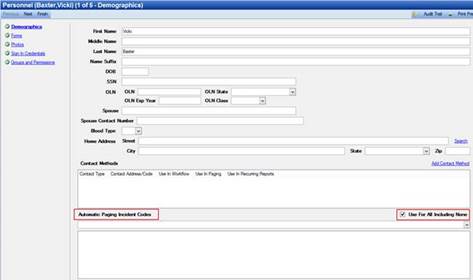
4. Select Incident Codes from the Automatic Paging Incident Codes drop-down (this will indicate which Incident Codes will send a page to this user).
5. Uncheck the Use For All Including None box.
6. Navigate to System Admin > System > Personnel Group.
7. Add all personnel that will be paged based on Incident Codes (Incident Codes can be different and are controlled through the above step within their Personnel Record selecting which Incident Codes that user will be paged for).
8. Navigate to System Admin > CAD > Units.
9. Assign the Personnel Group created in step 7 to every unit.
10. Navigate to System Admin > CAD > Commands.
11. Open Dispatch Command.
12. Select Add Action.
13. Select Page Group action.
By following all of these steps, every time the Dispatch Command is used, a page will be sent to the Personnel Group that is added to every unit and configured to receive a page based on the Incident Codes defined in their Personnel Records.