


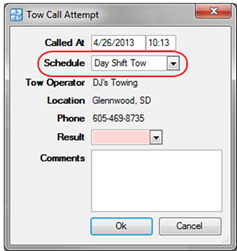
Tow Operator Schedules are used on the Tow Call form. The tow call operator schedules are available on the Log Call Attempt link which can be found on the Tow Call.
CAD can be configured to automatically manage the tow call operator list or the agency can manually manage the list.
· System Admin > CAD > Tow Operator Schedules
· Already configured Tow Operator Schedules will display in the list and can be edited by double clicking or deleted by highlighting blue and selecting delete on the keyboard
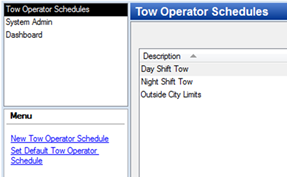
· Select New Tow Operator Schedule
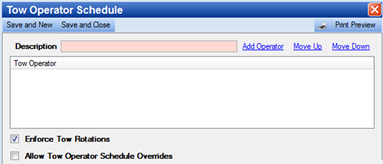
o Description – Name of the Tow Operator Schedule
§ Select Add Operator to add more operators from the list of Tow Operators
§ Select Move up or Move Down to specify the order of the rotation
o Enforce Tow Rotations – Check to use the tow rotation. Uncheck if you want the user to be able to select any tow operator
o Allow Tow Operator Schedule Overrides – Check if you want the user to be able to select a tow operator other than the one who is next in the rotation, but then resume the rotation as normal after the override.
o Select Print Preview to easily produce a list of all of the tow operators and operator order for each Tow Operator Schedule