


The Traffic Stop Call Order controls the order of the fields on the Traffic Stop form which is available through the New Traffic link on the CFS Menu Window. To control the order of the fields of a traffic stop on the command line, then go to System Admin > CAD > Commands to edit how the fields will display on the Traffic Command.
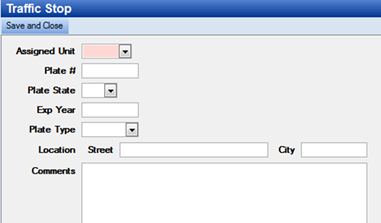
· System Admin > CAD > Traffic Stop Call Order
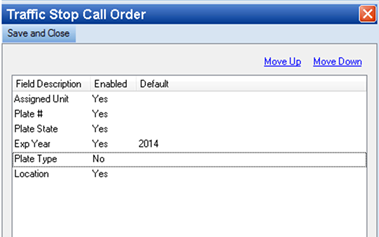
o Highlight the field by clicking it one time
o select Move up or Move down to control the position of the field on the form
o Double click the field to disable the field or to set a default value