· System Admin > CAD > Stations
o Already configured stations display in the list and can be deleted by selecting delete on the keyboard or edited by double clicking
· Select New Station
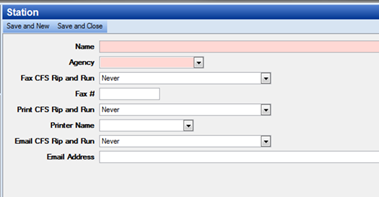
o Name – Station Name
o Agency – The agency related to the station
o Fax CFS Rip and Run – Never, On assignment of First Unit, On Completion of CFS or On Assignment of First Unit and On Completion of CFS
o Fax # - Format: (605) 484-9858
o Print CFS Rip and Run – Never, On assignment of First Unit, On Completion of CFS or On Assignment of First Unit and On Completion of CFS
o Printer Name – Select the name of the printer which was set up in the previous step
o Email Address – Provide the email address for the specific station
Units
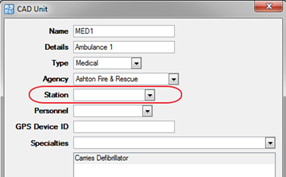
· System Admin > CAD > Units
o Already configured units display in the list and can be edited by double clicking
· Select the appropriate station in the Station field