CFS Priority Levels describe the priority of the CFS and can be used to configure the Incident Codes. The priority levels are found on the Priority field on the CFS. The priority level controls the color of the CFS on the CFS Log window, the inactivity alarms of the CFS and the unit status alarms.

1. Navigate to System Admin > CAD > CFS Priority Levels. Already configured CFS Priority Levels will display in the list and can be edited by double clicking or deleted by highlighting blue and selecting Delete on the keyboard.
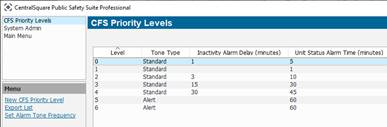
2. Select New CFS Priority Level.
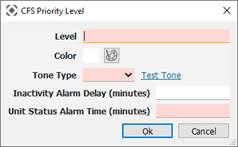
● Level: Priority level and changes the display order on the CFS window.
● Color: Provides the color of the CFS on the CFS Log window.
● Tone Type: Set an audible tone for the priority to alert dispatchers of the Inactivity and Status Alarms.
● Inactivity Alarm Delay (minutes): Sets off alarm if no one is assigned to the CFS.
● Unit Status Alarm Time (minute): Sets off alarm to check the status of the units assigned to the CFS.
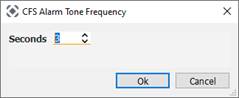
3. Select Alarm Tone Frequency.