


CAD Units are the fundamental piece in CAD. They are used to describe the status, location and details of a unit at specific time.
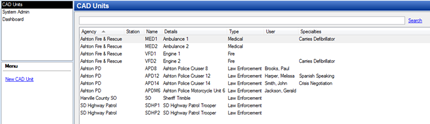
· System Admin > CAD > Units
· Already configured CAD Units will display in the list and can be edited by double clicking or deleted by highlighting blue and selecting delete on the keyboard.
· Select New CAD Unit
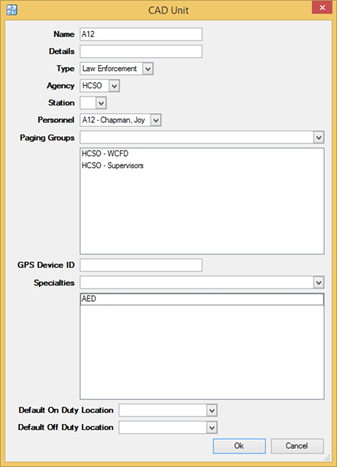
o Name – Name of the unit and available on the command line
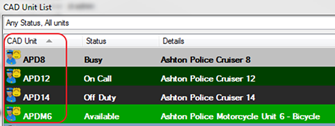
o Details – Details about the Unit and available on the CAD Unit List Window
o Type – Unit Types i.e. Law Enforcement, Medical
§ To configure go to System Admin > CAD > Unit Types
o Agency – Relates the unit to a specific agency
§ To configure go to System Admin > System > Agencies
o Station – Relates the unit to a specific station
§ To configure go to System Admin > CAD > Stations
o Personnel – Relates the unit to specific personnel. Only one personnel can be tied to one unit
§ To configure go to System Admin > Personnel > Personnel
o Paging Group - Links the unit to Paging Groups, which allow for the paging of a selection of units instead of individual units. Units may be in multiple paging groups at a given time
o GPS Device ID – AVL Number
o Specialties – Unit Specialties such as
§ To configure go to System Admin > CAD > Unit Specialties
o Default On Duty Location – Unit’s location when assigned as On Duty
§ Note: This value must be a verified location/address for your agency to use PS Pro Quickest Path Unit Recommendation without AVL.
o Default Off Duty Location – Unit’s location when assigned as Off Duty