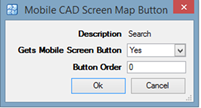
You can configure the embedded mobile map button order. Up to 5 buttons can be displayed on the embedded mobile map with the remaining options under the More button.
· System Admin > CAD > Mobile CAD Window Map Buttons
· A list of the available Map Buttons are displayed
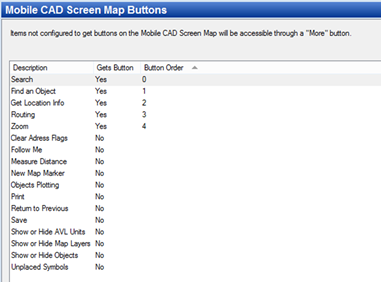
· Double click on the buttons you would like displayed and then choose the button order (the top button will be 0 and the bottom button will be 4).