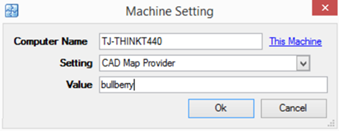
This section will be used to configure a Machine Setting, which is used as a link between the mapping software and PS Pro Suite
1. Open PS Pro Suite
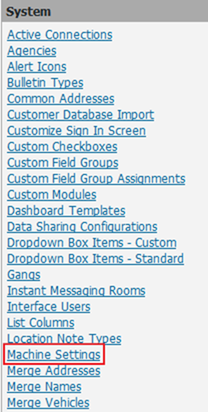
2. Click on System Admin
3. Click on Machine Settings under System
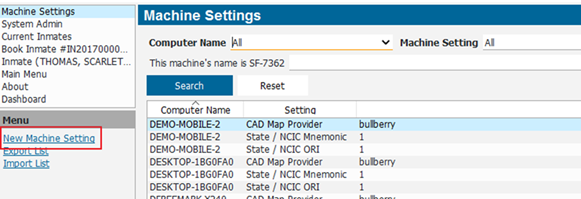
4. Select New Machine Setting from menu
5. Select This Machine link to have PS Pro Suite input the exact name of the current computer. You also have the option of typing in the name of the computer into the field.
6. Set the Setting field to CAD Map Provider
7. In the Value field, enter: bullberry
8. Select OK to finish the Machine Setting
9. Completely Restart PS Pro Suite (not sign out, completely close)