


CFS Radio Channel Groups allow for the assigning of specific radio channels to groups, the groups can then be assigned to specific agencies which allows for the CFS to automatically assign the next available Radio Channel when agency units are assigned to the CFS

1. To configure navigate to System Admin > CAD > CFS Radio Channel Groups.
2. Select New CFS Radio Channel Group in the menu.
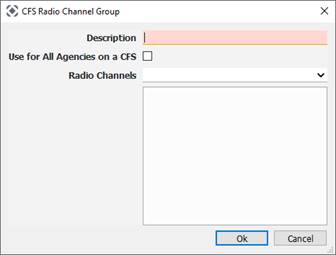
● Description: Select the description for your new group.
● Use for All Agencies on a CFS: The radio channel selected will be used for every unit assigned to the CFS regardless of agency affiliation.
● Radio Channels: Which radio channels are reserved for this group to use.