


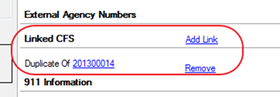
A CFS link type links one or more calls together and describes why the calls are related. The linking option is available from the Add Link section of the CFS.
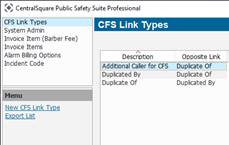
1. Navigate to System Admin > CAD > CFS Link Types. Already configured CFS Link Types will display in the list and can be edited by double -clicking them or deleted by highlighting them and selecting Delete on the keyboard.
2. Select New CFS Link Type.
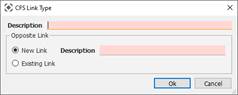
● Description: Name of the Link on the original CFS.
● Opposite Link: Name of the link on the second CFS. Can choose a new name or use an existing name.