


A bulletin is a method used to broadcast specific information about a person of interest or case such as BOLO. Bulletins can be created on the CFS Log Window with an expiration date, message, sequence number and shared with specific agencies and beats.
Note: Bulletins can have sequence numbers attached. Please contact CentralSquare Support for more information.
1. Navigate to System Admin > CAD > Bulletin Types. Already configured bulletin types will display in the list and can be edited by double-clicking them or deleted by highlighting them and selecting Delete on the keyboard.
2. Select New Bulletin Type.
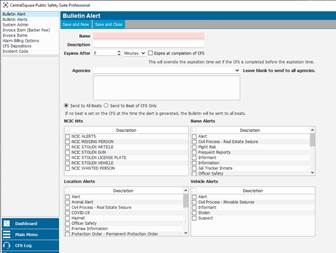
3. Enter all applicable information and select either Save and New or Save and Close.