AVL allows agencies to track units on their PS Pro Mapping
Much of the configuration for AVL is done per machine with the GPS hardware, this section will cover the PS Pro Suite specific requirements for using AVL
Note: PS Pro Quickest Path Unit Recommendation can be used without AVL, When a unit does not have AVL PS Pro Suite will used the specified unit location to make the quickest path determination. See the Unit section for configuring default locations.
Note: Contact CentralSquare Sales to learn more about using Unit Recommendation without AVL
Each machine using AVL will need to have two machine settings
System Admin > System > Machine Settings
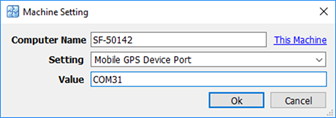
Mobile GPS Device Port:
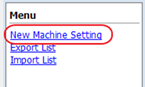
1. Select New Machine Setting in the menu
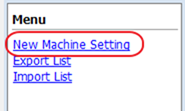
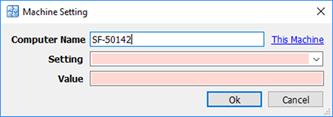
2. Computer Name: If using PS Pro Suite from the specific machine that needs the settings select This Machine the system will automatically insert the computers name, otherwise type in the computer name
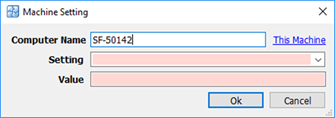
3. Setting: Select Mobile GPS Device Port from the dropdown list
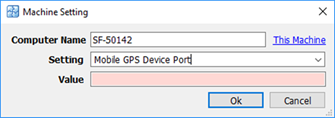
4. Value: insert the COM port number that was specified during the hardware setup
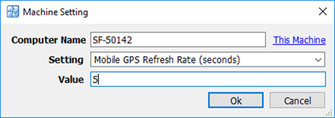
Mobile GPS Refresh Rate (Seconds):
1. Select New Machine Setting in the menu
2. Computer Name: If using PS Pro Suite from the specific machine that needs the settings select This Machine the system will automatically insert the computers name, otherwise type in the computer name
3. Setting: Select Mobile GPS Refresh Rate (Seconds) from the dropdown list
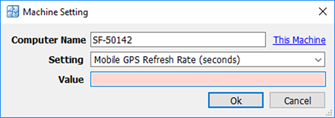
4. Value: Indicate the number of seconds between refresh for the GPS