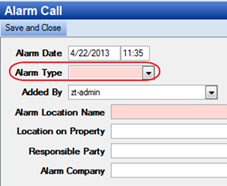
The alarm type tracks the type of alarm on a Call for Service (CFS). Examples: bank, fire or motion alarm. The dropdown is located on the Alarm Call Form:
Navigate to CFS Log > New CFS > Add Form > Alarm Call to view this drop-down list.