1. Navigate to your PS Pro Suite Share Drive (instructions above)
2. Double click the Map Install folder
3. Double click Engine folder
4. Double click the 10_5 folder
5. Copy & Save the 10_5 folder to your local machine
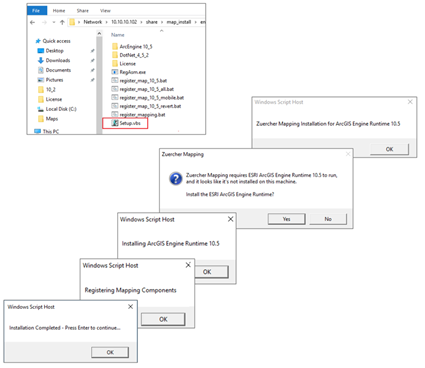
6. Double click the Setup.vbs option
The Setup will remove all older versions of ArcGIS Engine and will guide you through a series of install windows.