


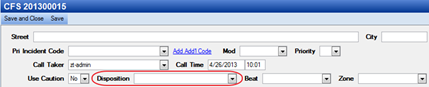
A CFS Disposition describes how the call is completed and is available on the CFS window. A global setting can be applied to require that a disposition be completed when closing a call or the field can be removed from the CFS.
1. Navigate to System Admin > CAD > CFS Dispositions. Already configured CFS Dispositions will display in the list and can be edited by double-clicking them or deleted by highlighting them and selecting Delete on the keyboard.
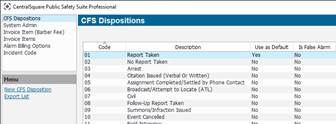
2. Select New CFS Disposition.
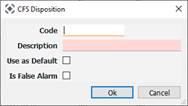
● Code: Abbreviation that shows up before the disposition of the CFS, so the dispatcher can type the code or description.
● Description: Name of Disposition.
● Use as Default: If checked, then defaults on every CFS, but can be manually changed if needed.
● Is False Alarm: Check if considered a false alarm. Important if using the Alarm Billing feature.